
Yamaha YZF-R125 Service Manual: Removing the front fork legs
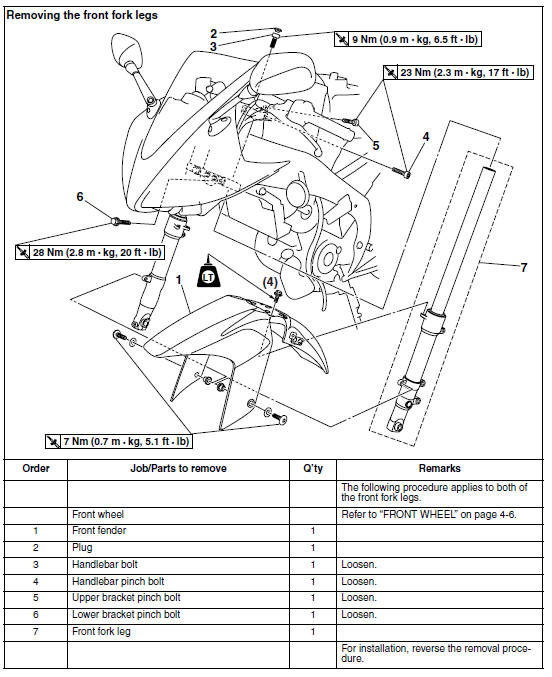
The following procedure applies to both of the front fork legs.
1. Stand the vehicle on a level surface.
| WARNING Securely support the vehicle so that there is no danger of it falling over. |
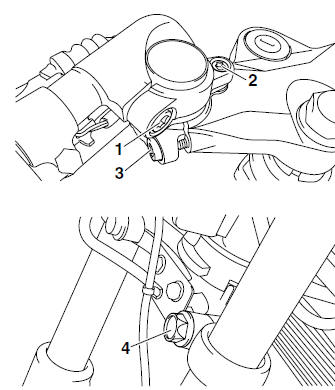
2. Loosen:
- Handlebar pinch bolt "1"
- Handlebar bolt "2"
- Upper bracket pinch bolt "3"
- Lower bracket pinch bolt "4"
| WARNING Before loosening the upper and lower bracket pinch bolts, support the front fork leg. |
3. Remove:
- Front fork leg
 Front fork
...
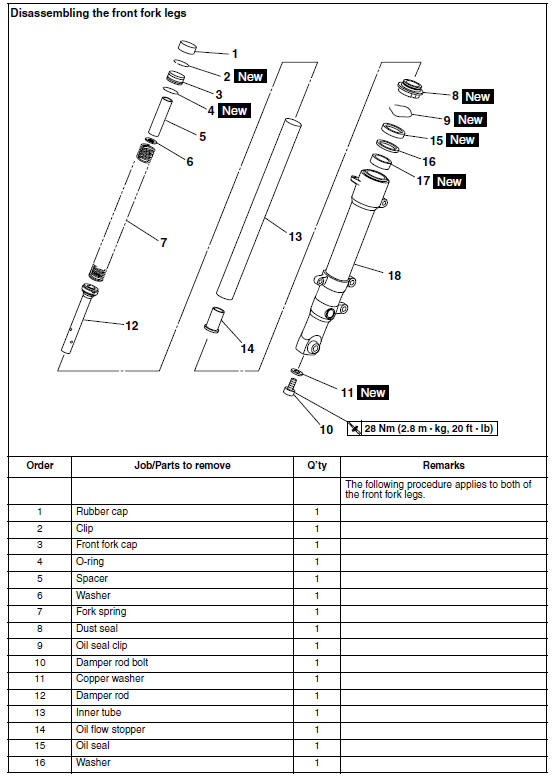
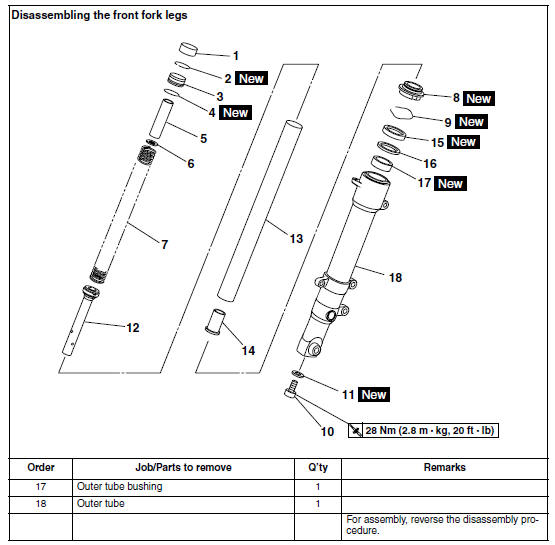
 Disassembling the front fork legs
The following procedure applies to both of the
front fork legs.
1. Remove:
Rubber cap
Clip "1"
Front fork cap "2"
(with O-ring)
Fork spring
NOTE:
Push the front fork cap in the direc ...
Other materials:
Main switch/steering lock
Main switch/steering lock
The main switch/steering lock controls
the ignition and lighting systems, and is
used to lock the steering. The various
positions are described below.
ON
All electrical circuits are supplied with
power, the meter lighting, taillight, license
plate light and ...
Checking the coolant level
1. Stand the vehicle on a level surface.
NOTE:
Place the vehicle on a suitable stand.
Make sure the vehicle is upright.
2. Check:
Coolant level
The coolant level should be between the
maximum level mark "a" and minimum level
mark "b".
Below the minimum level mark → Add t ...
Replacing the headlight bulbs
The following procedure applies to the low beam
headlight bulb.
1. Remove:
Headlight bulb cover "1"
2. Remove:
Headlight bulb holder "1"
3. Remove:
Headlight bulb "1"
WARNINGSince the headlight bulb gets extremely
hot,
keep flammable products and your ...